Import and Export overview
The Admin > Import/Export page in one place — bulk CSV for scouts, adults, and events, plus importing an outside ICS calendar feed.
Admin > Import/Export is one page with four independent bulk-data tools. Each has its own Export and/or Import controls, and a card explaining why a control is disabled if the data it needs hasn't loaded yet.
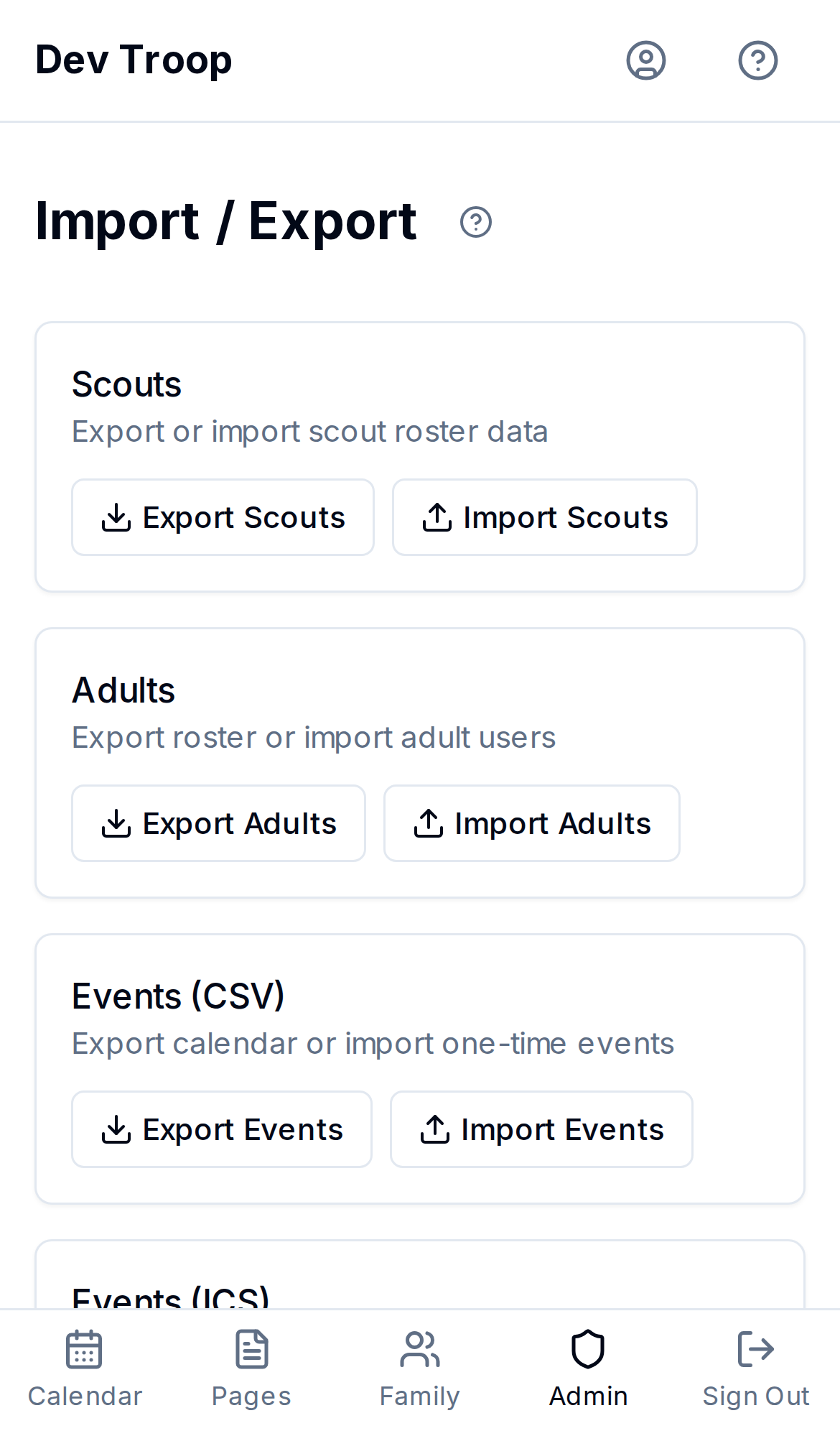
Scouts
Bulk-add or export your scout roster via CSV — required columns, matching rules, and error reporting are covered in Bulk importing and exporting scouts.
Adults
Export Adults downloads every adult user as a CSV. Import Adults works the same way as scout import (drag a CSV, preview, confirm, watch progress, see results) with one difference: importing an adult goes through the same invite flow as adding one manually — you're offered a Send welcome emails on import checkbox at the confirm step, and if you leave it unchecked the accounts are created without an invitation, exactly like unchecking "Send welcome email" when adding a user by hand.
Events (CSV)
Bulk-add or export one-time events via CSV, using the same upload → preview → confirm → results flow. As with scouts, this is create-only — re-importing doesn't update existing events, it creates new ones.
Events (ICS)
A different kind of import: pulling events in from an outside .ics calendar feed (a council or district calendar, for example) rather than from a CSV you prepared yourself. See Importing an outside calendar feed for the full walkthrough — it's the reverse direction of subscribing to your troop's calendar.
Who can do this
Admins. Scout and event CSV import/export are also usable by Leaders, matching who can manage scouts and create events elsewhere in MyTroop.
Related articles
Bulk importing and exporting scouts (CSV)
Download a CSV template, bulk-add scouts with a spreadsheet, and export your full scout roster — including required columns, how families and dens/patrols are matched, and how import errors are reported.
Importing an outside calendar feed (ICS)
Pull events from an external .ics calendar feed — like a council or district calendar — into your troop's MyTroop calendar.
Families — the unit MyTroop is built around
How users group into families, why scouts attach to families instead of individuals, and how to manage family membership.